What is a teleprompter, and how does it work?
Published October 1, 2026 · 5 min read
A teleprompter is a screen that shows a script as close to the camera lens as possible, so a speaker can read every word while appearing to look straight at the audience. A studio teleprompter does it with a sheet of angled glass in front of the lens; a phone app does it by scrolling the text right under the front camera.
This guide explains the three common kinds, how each one hides the fact that you are reading, how the text is scrolled, and which one fits which kind of video. None of it needs special knowledge — just a clear picture of where the words sit relative to the lens.
What problem does a teleprompter solve?
On video, viewers read your eyes before anything else. If your notes are on a desk, a laptop or a sheet of paper beside the camera, every glance at them shows up as looking away, and the more you glance, the less the video feels like you are talking to the person watching.
A teleprompter fixes this by moving the words to where your eyes should be anyway: at the lens. You still read, but the angle between the text and the lens is so small that the camera can’t see the difference. The other job it does is pacing: the text moves, so you never lose your place or need to look down to find it.
What kinds of teleprompter are there?
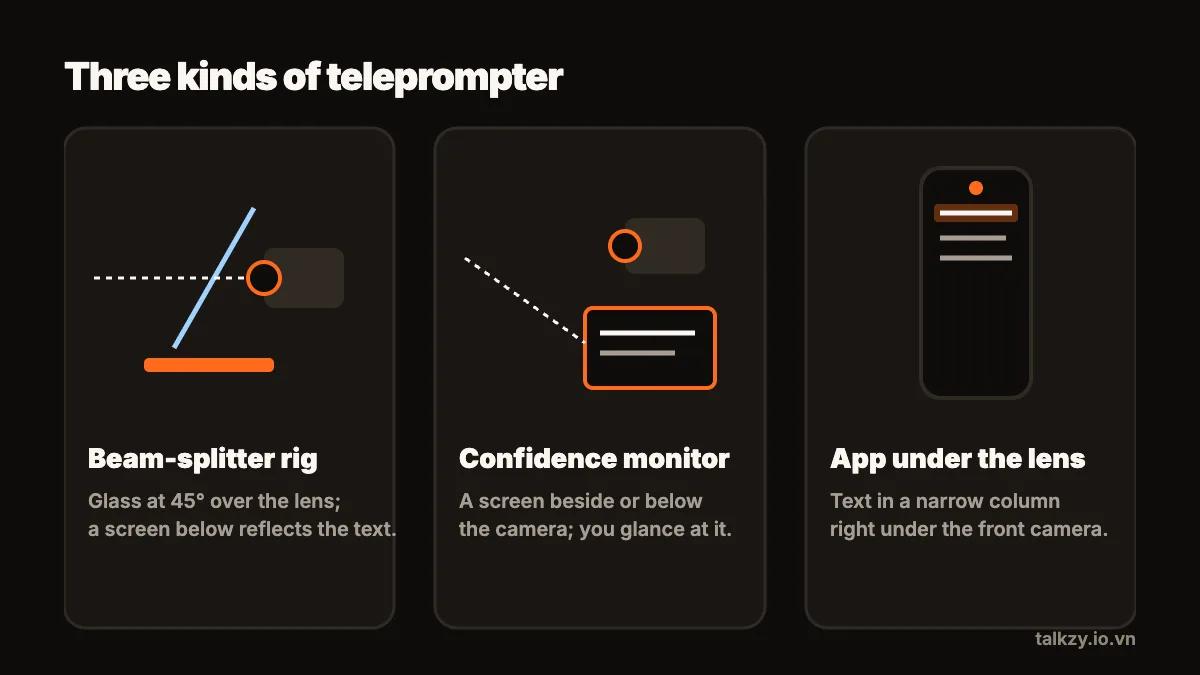
Three setups cover almost everything you will see, from TV studios to people filming at home:
- Beam-splitter rig. A sheet of special glass sits at 45° in front of the camera lens, with a screen lying underneath. You read the reflection; the camera films straight through the glass. This is the classic news-studio teleprompter and gives the truest eye contact.
- Confidence monitor. A plain screen placed below or beside the camera, or at the back of a stage. You glance at it between sentences. It is simpler and cheaper, but the glances are visible if the screen is far from the lens.
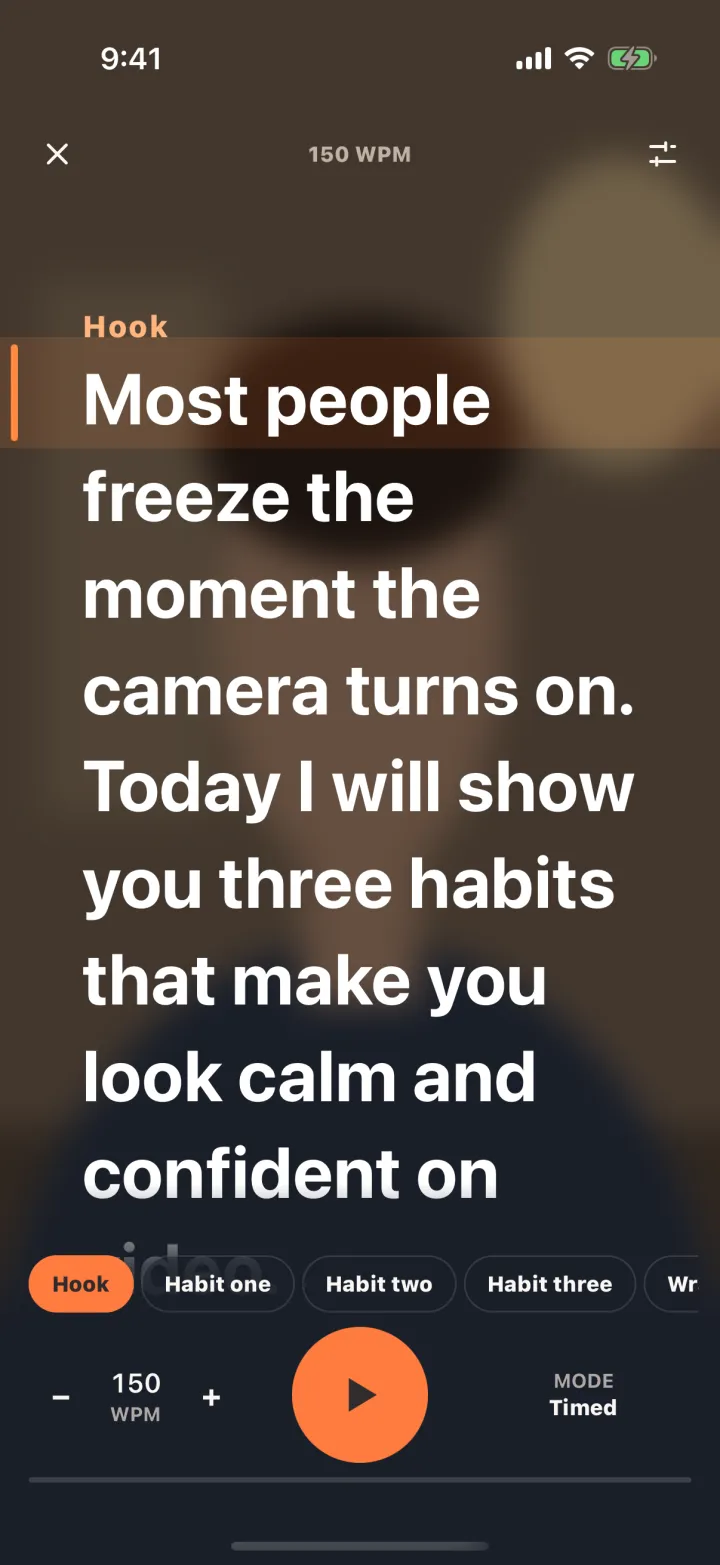
- An app under the lens. On a phone or tablet, the script scrolls in a narrow column directly under the front camera while that same camera records. It is the setup most people filming themselves use today.
How does the glass in a studio teleprompter work?
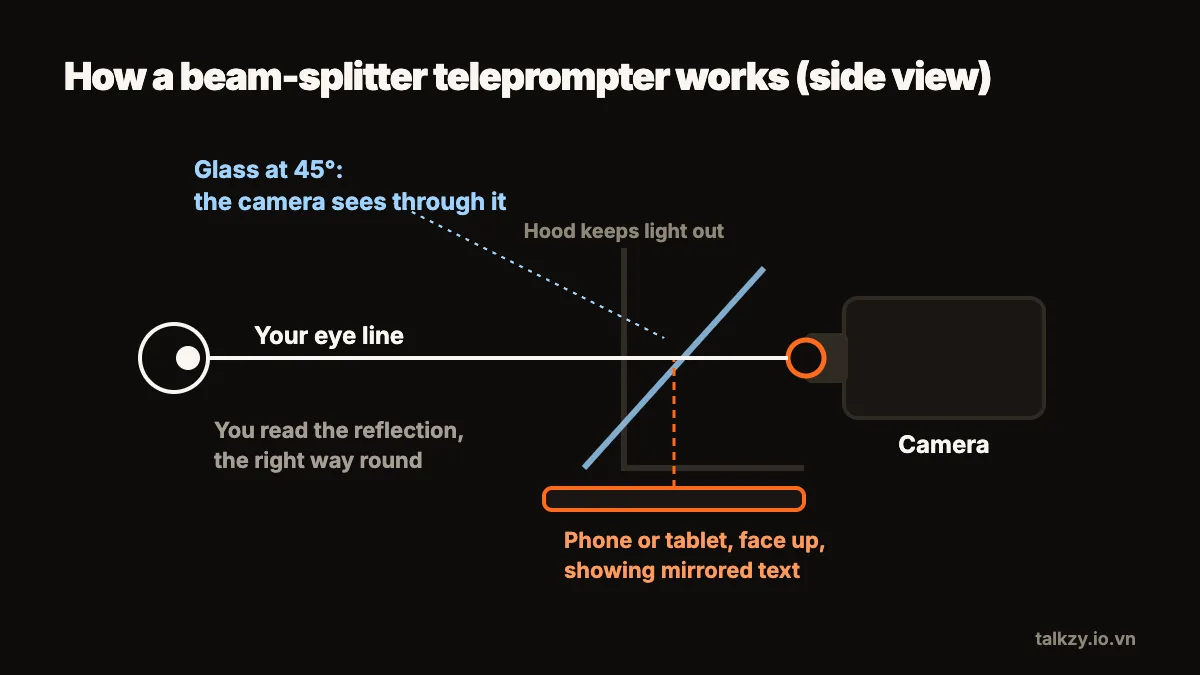
The glass is a beam splitter: it reflects part of the light that hits it and lets the rest pass through. The screen lies face up under the glass, so its light bounces off the glass toward you, and you see the script floating in front of the lens. From the camera’s side, the glass is just a slightly tinted window, so it films you through it.
Because the text reaches you as a reflection, it comes out reversed. That is why every teleprompter app has a mirror setting: the screen shows the text flipped left to right, and the reflection flips it back. A hood of dark cloth around the lens stops room light from reflecting into the shot.
The result is the only setup in which you look into the lens and at the words at the same time. The cost is size and setup time, which is why rigs are common in studios and less common for quick phone videos.
How does the text scroll?
The words have to move at the speed you speak, and there are three ways to make that happen:
- A fixed speed. The text scrolls at a set rate, usually in words per minute. Simple and predictable, but you have to keep up with it, and a pause for emphasis puts you behind.
- An operator or a remote. Someone (or you, with a page-turner, keyboard or ring remote) moves the text as you go. This is how TV studios work: the operator follows the presenter.
- Voice-following. The software listens and moves the text to the words you are saying, so it speeds up, slows down and stops with you.
Whichever you use, start a little slower than your natural pace. Speeding up a slow scroll mid-sentence is easy; catching up with one that runs away from you is not.
Which kind should I use?
- Talking-head videos for social media, filmed on a phone: an app under the front camera. No extra gear, and the text is already close to the lens.
- Videos filmed with a better camera or the phone’s back camera: a beam-splitter rig, or a second device placed right under the lens.
- Livestreams, lessons and presentations, where you look at the camera only part of the time: a second device used as a confidence monitor is usually enough.
If you want the rig look on a small budget, a basic beam splitter can be built from a picture-frame glass and a box; the DIY guide on this site walks through it.
Does using a teleprompter look fake?
Only when the reading shows. The usual giveaways are eyes moving side to side across long lines, a flat voice that reads instead of talks, and a fixed scroll that forces you to rush. A narrow column, a script written the way you speak and a scroll that follows you remove most of them. Rehearse a script out loud once or twice and you will sound like you are talking, not reading.
Where Talkzy helps
Talkzy is a teleprompter app for iPhone and iPad. When you film with the front camera, the script runs in a narrow column right under the lens, and it can scroll in any of the three ways: at a fixed speed in words per minute, by hand with a drag or a remote, or by following your voice (in beta), using Apple’s on-device speech recognition only.
For a beam-splitter rig or a second device, prompter-only mode shows the script full screen, mirrored left–right or upside down, in very large white or yellow text on black, with the screen kept awake.