How to build a DIY teleprompter with glass and a phone or iPad
Published October 1, 2026 · 6 min read
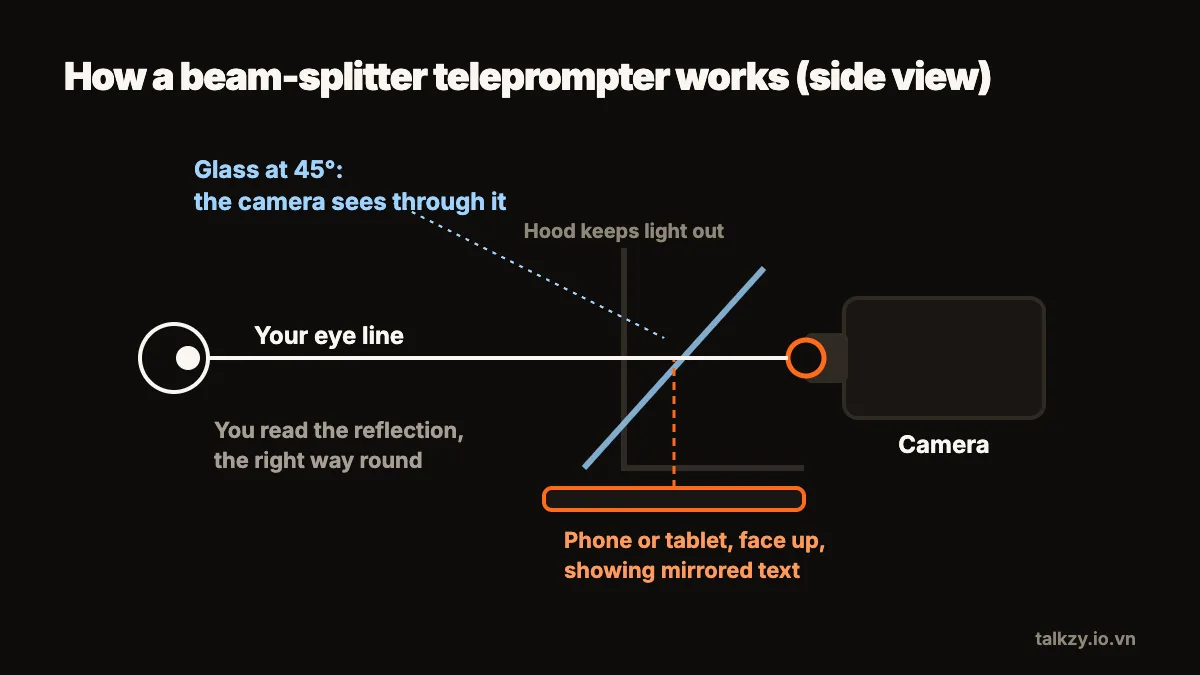
A working DIY teleprompter needs three things: a clean sheet of glass held at 45° in front of the camera lens, a phone or tablet lying face up under it, and text mirrored left to right so the reflection reads correctly. A picture frame, a cardboard box, tape and black cloth are enough to build one in an afternoon.
This guide covers what to use, how to put it together, how to stop the glass from showing the room, and how to test it before a real take. It assumes a camera or phone on a tripod and a second device to show the script.
What do I need?
- Glass. The glass from a cheap picture frame, around 20 × 30 cm, is enough for a phone or a small tablet and for most camera lenses. Clear plastic (acrylic) from a frame also works but scratches easily and can show a slight double image. Real teleprompter glass reflects better, but you don’t need it to start.
- A body. A cardboard box big enough to fit around the lens, or two pieces of stiff card taped into a wedge. It holds the glass at an angle and blocks light.
- Black material. Black card, matte paint or a black T-shirt for the inside of the box and to wrap around the lens.
- Tape, a craft knife and a ruler.
- A second screen for the script: a phone or tablet that lies flat under the glass.
- A camera on a stable support: a phone using its back camera, or a separate camera.
How do I put it together?
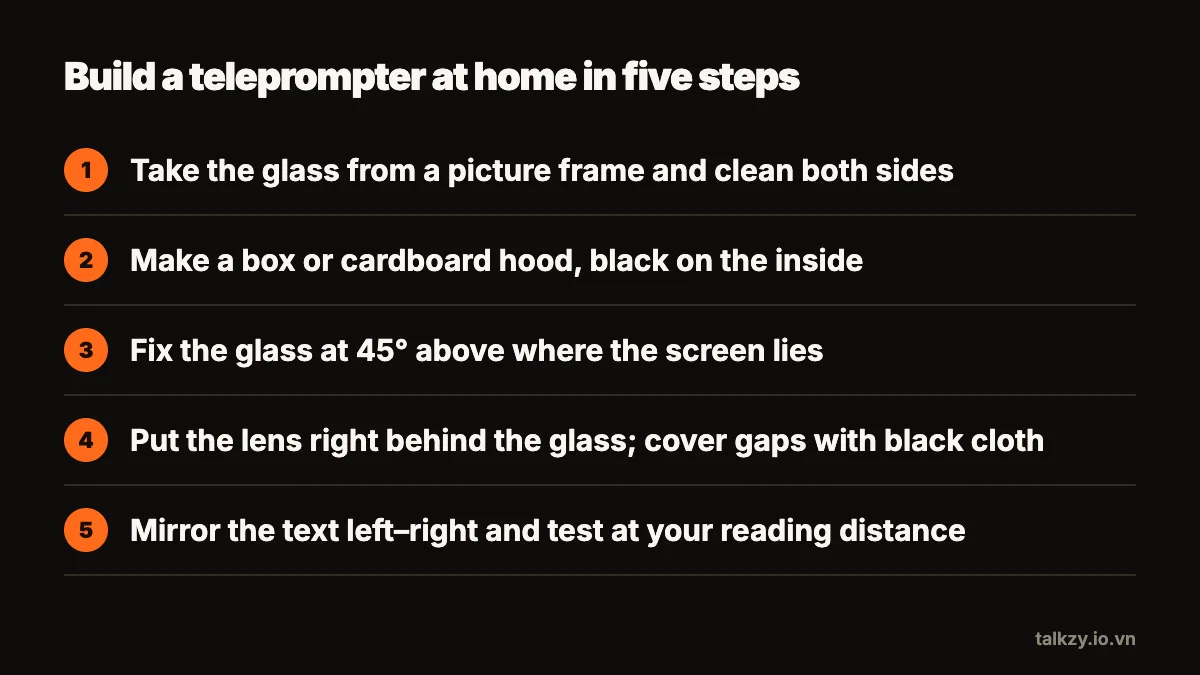
- 1Clean the glass on both sides and tape over its edges so they are safe to handle. Every fingerprint will show in the reflection and in the shot.
- 2Cut the box so one side is open toward you and the back has a hole the size of your lens. Line the inside with black card or paint it matte black.
- 3Fix the glass inside at 45°, running from the top of the back (near the lens) down toward you. Measure the angle with a ruler and a right-angle triangle drawn on card; a few degrees off still works, but much more will distort the text.
- 4Leave a flat tray under the glass where the phone or tablet will lie, screen up.
- 5Put the camera lens right against the hole at the back, then cover any gap between lens and box with black cloth. Light leaking in around the lens is what makes the glass visible on camera.
Why does the text have to be mirrored?
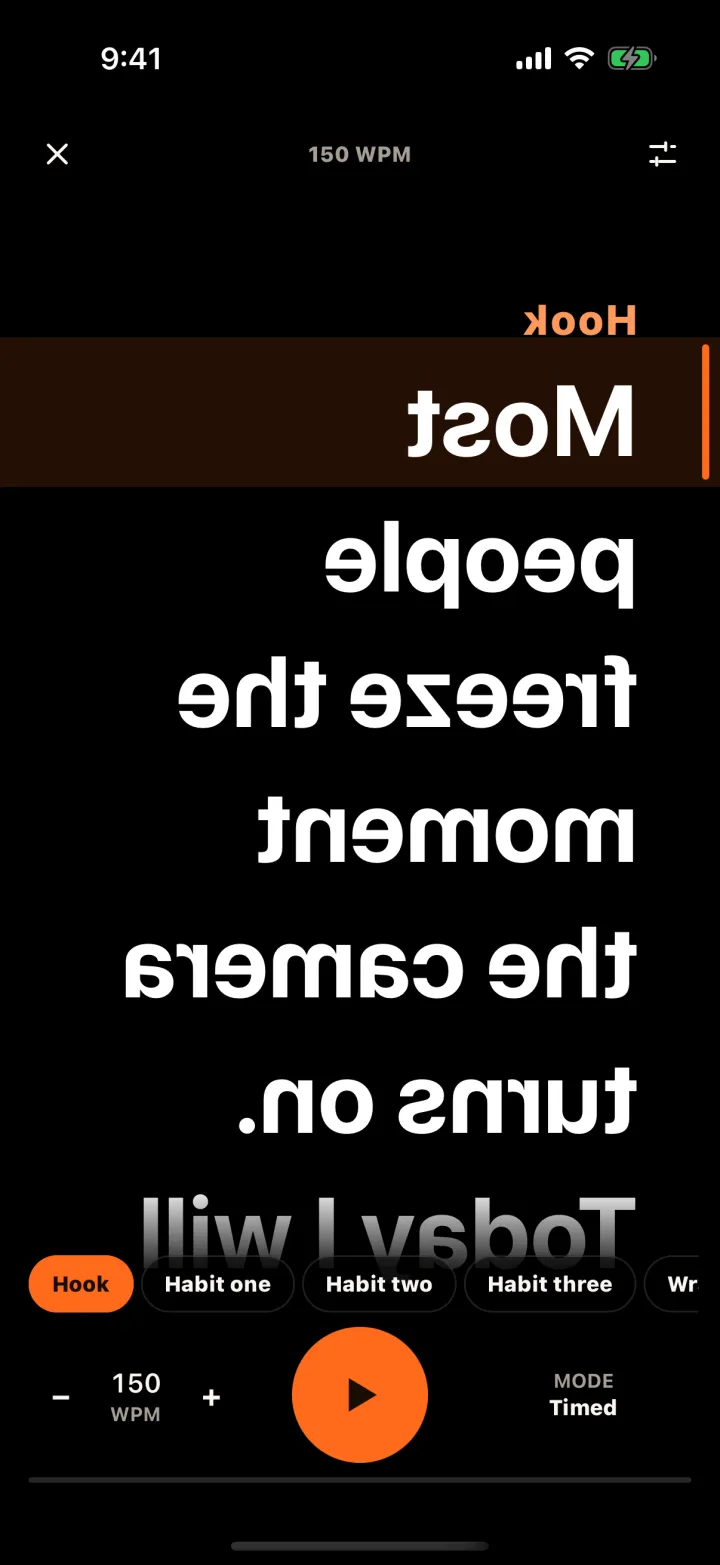
You read the script as a reflection in the glass, and a reflection reverses left and right. So the screen under the glass must show the text already flipped; the glass flips it back. Turn on horizontal mirroring in whatever you use to display the script. If the reflected text is also upside down, which depends on how the screen sits in your tray, flip it vertically too, or rotate the device.
On an iPhone or iPad there is no system-wide setting that mirrors the screen for this, so the mirroring has to come from the app or web page that shows the script.
How do I stop the glass from showing in the video?
Plain glass reflects the room as well as the script. Keep the camera’s view clean with a few habits:
- Black everywhere the lens can see: inside the box and around the lens.
- A dark background on the script screen. White text on black reflects only the words; a white page reflects as a bright grey sheet over your face.
- Screen brightness up. Glass reflects only a small part of the light, so the text has to be bright to be readable.
- Keep lamps off the glass. Light the speaker from the front and to the side, never from a lamp that hits the glass directly.
- Watch for a double line. Ordinary glass reflects from both its surfaces, which can make the text look slightly doubled. It is still readable; thinner glass makes it smaller.
How do I test it before recording?
Sit where you will sit for the take and record thirty seconds. On playback, check that you can’t see the glass edges or any reflection of the room, that your eyes look into the lens rather than slightly above or below it, and that the text is big enough to read without leaning forward. If the eye line is off, raise or lower the whole rig rather than tilting the glass.
Then decide how the text will move. Inside a rig you can’t touch the screen, so you need a scroll that runs at a set speed, a Bluetooth page-turner or keyboard, or a teleprompter that follows your voice.
Where Talkzy helps
Talkzy’s prompter-only mode is made for the screen under the glass: full-screen text with no camera, mirrored left–right and upside down, a black background with white or yellow text, very large type, and the screen kept awake. You can scroll it at a set speed in words per minute, with a Bluetooth keyboard, page-turner or ring remote, or by following your voice (in beta). Mirror and remotes are free.
If the camera behind the glass is an iPhone, Talkzy can also record with its back camera and keep each take as its own clip.