How to write a product review video script (with a template and a sample)
Published October 1, 2026 · 6 min read
A product review script that works has five parts: a hook naming the product and the question the viewer has, who it is for, the product shown in use, one honest downside, and a clear verdict. For a 60-second review that is about 130–150 words, and most of the time should go to showing the product, not describing it.
This guide explains each part, gives a template and a sample you can adapt, and covers how to film a review so you can talk to the camera and handle the product at the same time.
Why does a review need a script?
Unscripted reviews tend to start with unboxing, wander through every feature and end without saying whether the product is any good. Viewers watching a review usually want one answer: should I buy this, and is it right for me? A script makes you put that answer up front and cut the rest.
A script also protects your credibility. Writing the claims down before you film is the moment to check that each one is true, that you tried what you describe, and that you mention it clearly if the product was sent to you or if you earn a commission. Platforms and many countries have rules about disclosing paid or gifted content; follow the ones that apply to you.
What are the five parts of a review script?
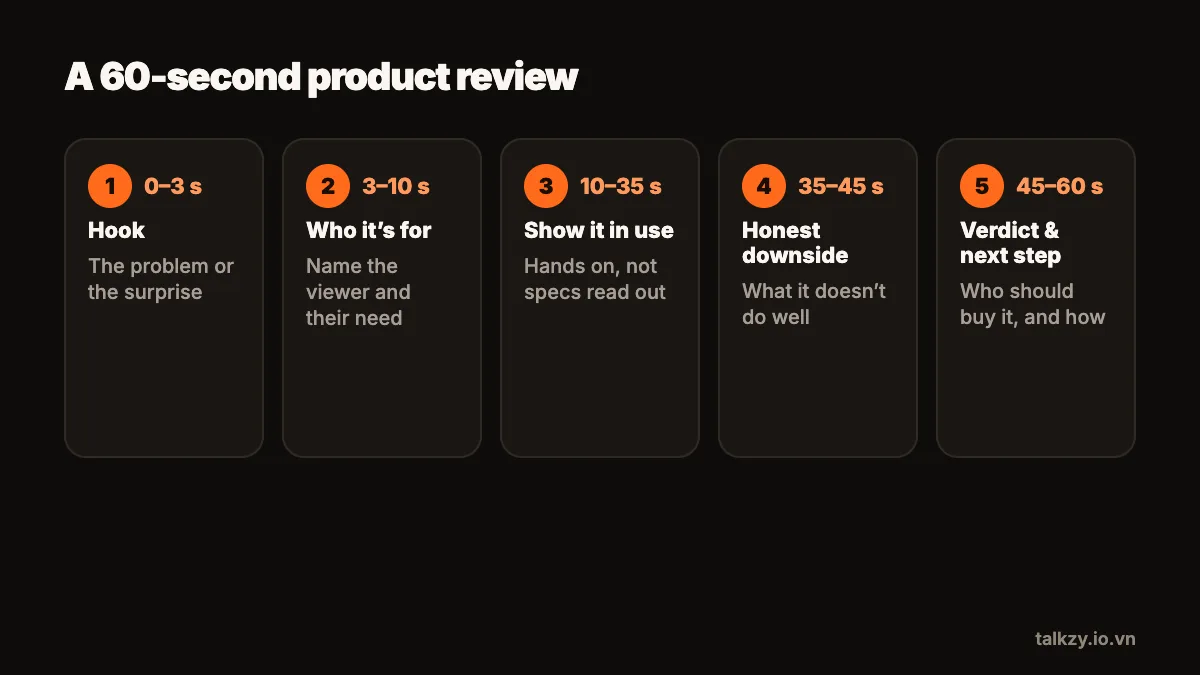
- 1Hook (0–3 seconds): name the product and the question. “Is this cheap desk lamp actually good for filming?”
- 2Who it’s for (3–10 seconds): the person or situation it suits, and the problem it solves for them.
- 3Show it in use (10–35 seconds): two or three things you tested, each shown on camera, not just described.
- 4Honest downside (35–45 seconds): one real limitation, said plainly. This is what makes the rest believable.
- 5Verdict and next step (45–60 seconds): who should get it, who shouldn’t, and one clear next step.
What does a sample review script look like?
Here is a 60-second example for a small LED light. Adapt the details to a product you have actually used:
“# Hook — Can a clip-on light this small fix dark videos at night?
# Who it’s for — If you film at a desk after dark and your face looks grey, this is for you.
# Demo — Here it is clipped to my monitor. Left side, room light only. Right side, the light on at half power. It has three colour settings; this warm one looks most natural on skin. It charges by USB-C and lasted about two of my filming sessions.
# Downside — The clip is weak. On a thin shelf it tilts, so I tape it.
# Verdict — For talking videos at a desk, I’d buy it again. For filming outdoors, look for something brighter. Tell me what you film, and I’ll say whether it fits.”
Notice what is missing: no specification list, no “hey guys, welcome back”, and no claim the presenter didn’t test.
How do I keep the script honest and specific?
- Use your own words for what you saw, not the product page’s. “It lasted two sessions” beats a quoted battery figure you never checked.
- Compare against a situation, not against a named competitor you haven’t tested.
- Say the downside in the same tone as the praise. Viewers trust a reviewer who is calm about both.
- Keep numbers you mention short and easy to say, and only include ones you are sure of.
- Write the disclosure into the script, early, so you can’t forget it on camera.
How do I film a review from a script?
Reviews are hard to read from a script because your hands and eyes are busy with the product. Split the work:
- 1Film the talking parts — hook, who it’s for, downside and verdict — looking at the lens, reading from a column right under the camera.
- 2Film the demo separately as close-ups of your hands and the product. You can say the demo lines over those shots, or record them as a voice-over afterwards.
- 3Record each part as its own take and keep the best one. A stumble then costs you one part, not the whole review.
- 4Keep the product in the same place and the light unchanged between takes, so the cuts don’t jump.
For a longer YouTube review, use the same five parts with more demo, and give every tested feature its own short section.
How long should the review be?
Match the length to the platform and the price of the decision. A short-form review of an everyday item works in 30 to 60 seconds. A considered purchase, like a camera or a laptop, earns a longer video because viewers want more proof. Measure your own words per minute once and multiply: at 140 words a minute, a 45-second review is roughly 105 words, plus time for the demo shots where you say little.
Where Talkzy helps
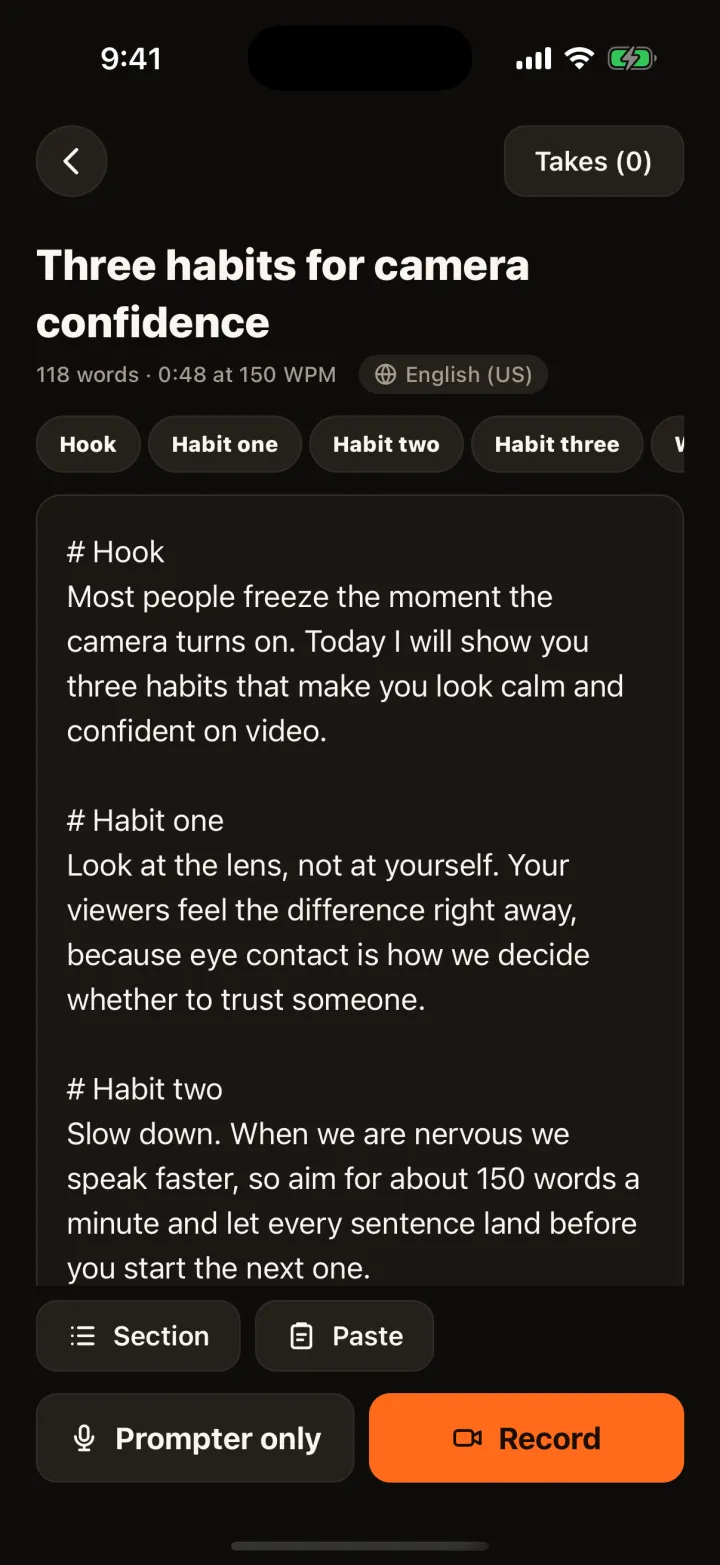
In Talkzy you paste or import the script as a .txt, .md or .rtf file, and each line starting with # becomes a section: hook, demo, downside and verdict can each be read and retaken on their own. The word count and read time at your speed tell you whether the review fits before you record.
The text runs in a narrow column right under the front camera. Voice-follow (beta) scrolls as you talk and waits while you pause to show the product; if your hands are full, a Bluetooth page-turner or keyboard can move the script instead. Every take is kept as its own clip named after the script, with no watermark.