How to record clear audio when you film with a phone
Published October 1, 2026 · 6 min read
The biggest improvement to the sound of a phone video is getting the microphone closer to your mouth. A clip-on (lav) mic 15–20 cm below your chin beats the phone’s built-in mic at arm’s length, and both beat the phone across the room. After distance come a quieter, softer room and a quick test with headphones.
This guide explains why phone audio goes wrong, what to fix first with no new gear, which kind of external mic to consider, and how to check the sound before you record the real take.
Why does my phone video sound echoey or thin?
A microphone hears the whole room, not just you. The farther it is from your mouth, the more of the room it records: echo off bare walls, the hum of an air conditioner, traffic outside. Your voice gets quieter relative to all of that, and the result sounds distant and hollow.
Viewers forgive a slightly soft picture much more easily than sound that is hard to understand. So audio is worth fixing before light, angle or anything else.
How close should the microphone be?
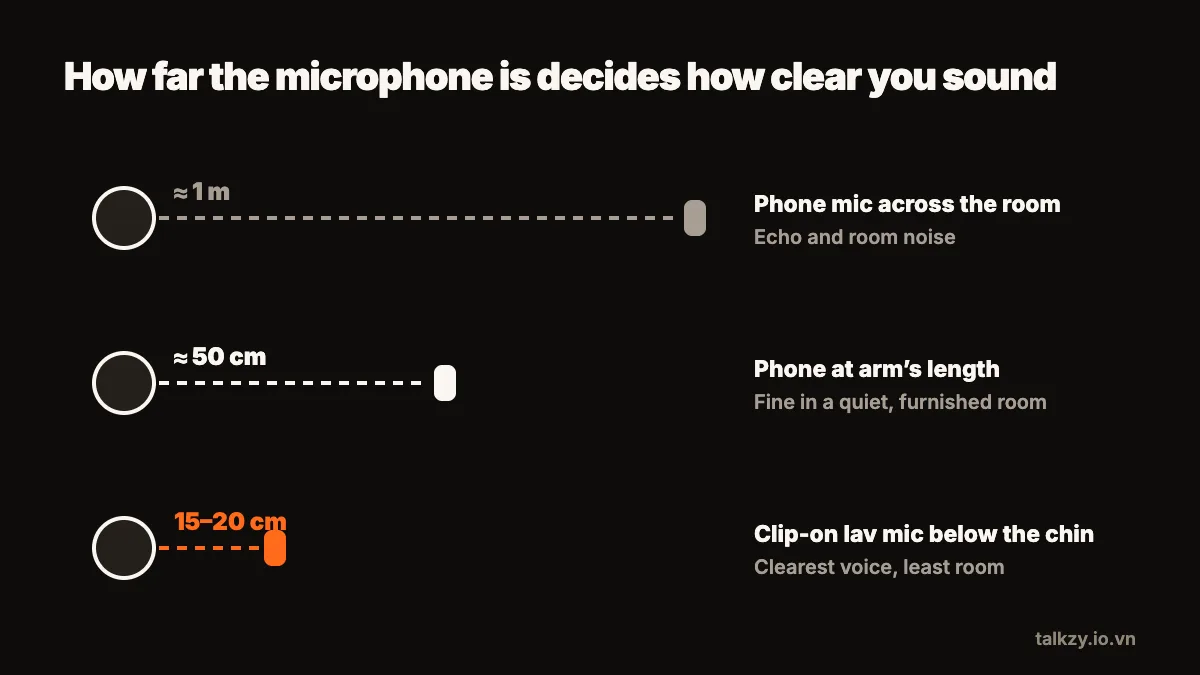
As close as you can get it without it showing more than you want. A rough guide:
- The phone’s mic about a metre away, for example on a tripod across a desk: noticeable room echo, fine only in a very quiet, furnished room.
- The phone’s mic at arm’s length, about 50 cm: usable in a quiet room with soft furnishings.
- A lav mic clipped 15–20 cm below your chin: the clearest, and it stays the same distance when you move your head.
Distance matters because each time you halve it, your voice gets much louder compared with the room, while the background stays the same.
What can I fix without buying anything?
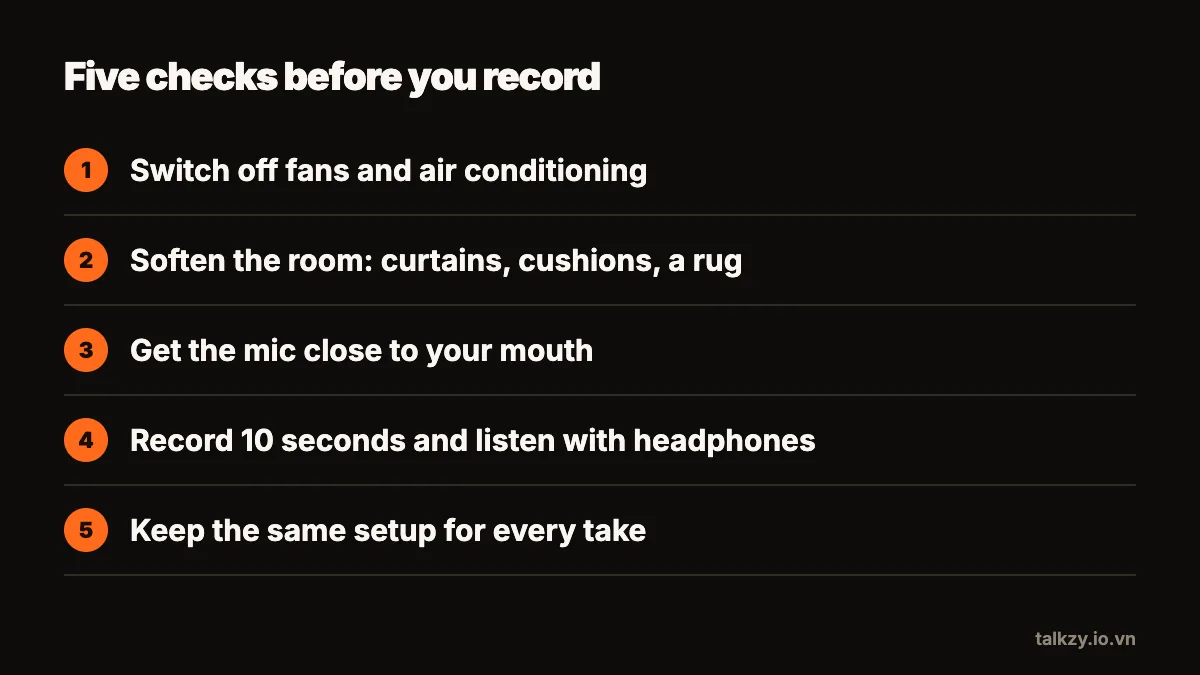
- 1Switch off what hums. Fans, air conditioners and fridges are louder on a recording than in the room. Turn them off for the take.
- 2Soften the room. Curtains, a sofa, a rug, cushions and a full wardrobe all absorb echo. A bedroom usually sounds better than a bare office or a tiled kitchen.
- 3Face into the room, not a wall. Sitting with your back to soft furnishings and facing open space helps.
- 4Get the phone closer. If the framing allows, move the phone nearer and zoom out with your position rather than with distance.
- 5Don’t cover the mic. Check where your iPhone’s microphones are and keep cases, mounts and fingers off them.
- 6Turn on Do Not Disturb so a notification sound doesn’t land in the middle of a take.
Which external mic should I get?
If you film yourself often, a clip-on lav mic is the single best purchase. There are three kinds that work with an iPhone:
- Wired lav with a Lightning or USB-C plug, or a 3.5 mm plug with an adapter. Cheap, reliable, no battery, but the cable limits how far you can move.
- Wireless lav kits with a small receiver that plugs into the phone. Freedom to move, but they need charging and you should check the receiver suits your iPhone’s port.
- Bluetooth headsets and earbuds. Convenient, but their microphones are often noticeably lower quality than a wired or USB-C lav, because Bluetooth compresses the audio heavily. Use them for calls rather than for videos you care about.
Clip the mic to the middle of your chest, 15–20 cm below your chin, and keep it away from necklaces, collars and hair that can rub against it.
How do I check the sound before the real take?
Record ten seconds at the volume you will use, then listen with headphones, not the phone’s speaker. Listen for four things: echo, background hum, rustle from clothes, and whether loud words distort. Fix the worst one and test again.
Once it sounds right, keep the setup identical for every take of the same video: same room, same mic position, same distance. Changing it between takes makes sections sound different when you join them.
Does reading from a script change the sound?
It can. People reading tend to speak more quietly and more flatly, and to drop their voice at the end of every sentence. Speak at the volume you would use to talk to someone across a table, and keep the script on a screen close to the lens so your head stays up; looking down at notes also points your mouth away from the camera’s mic.
Where Talkzy helps
Talkzy records with the built-in mic or a wired mic, and remembers your camera, frame rate and mic per device, so every take of a video sounds the same. Choosing a Bluetooth or USB-C mic is part of Talkzy Pro.
The script scrolls right under the front camera, so you keep your head up and your voice toward the phone. Each take is saved as its own clip named after your script, which makes it easy to compare how two takes sound before you keep one.